Chapter 01Records · Practical note
New home, no paperwork: build an appliance list in one afternoon
Walk the house in one loop: kitchen, laundry, then the utility room and garage. Photograph every appliance's model and serial label as you go. Back at a table, look up each manual on the maker's site by model number, and put one row per appliance in a log. Leave the warranty columns blank until you know the dates. You end up with one page for the kitchen drawer.
Source: GE Appliances, manuals by model number, checked October 7, 2026.
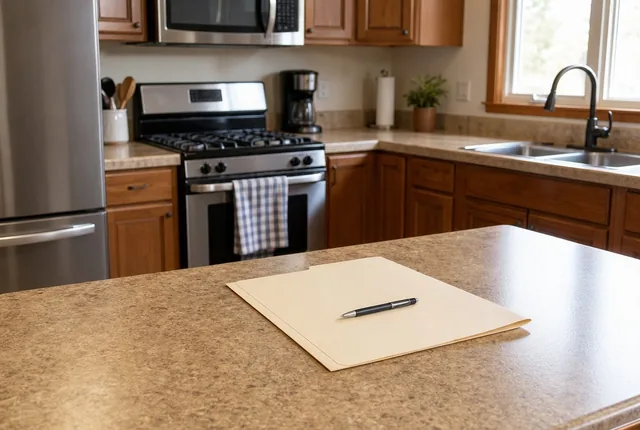
- Where most labels sit: behind a door, lid or drawerDoor open Whirlpool, model and serial locations, October 7, 2026
- How GE serves manuals, install info and energy guidesBy model number GE Appliances, manuals by model number, October 7, 2026
- The pair the FTC says to keep togetherReceipt + warranty FTC, Warranties, October 9, 2026
Why bother now
When the previous owner leaves nothing behind, the first time you need a model number is usually the day something stops working. Then you're on your knees with a flashlight while the dishes wait. An afternoon spent now turns that into a lookup.
The FTC tells buyers to keep the warranty and the receipt together, since the receipt shows the purchase date. A house that came with appliances often has neither. You can still record what each machine is, and the log keeps a place for dates if you turn them up later.
Source: FTC, Warranties, checked October 9, 2026.
What to bring
- A phone with a camera and some free space
- A flashlight, or the phone's light
- A towel to kneel on in front of the dishwasher and range
- The printed appliance log, or the log open on a laptop for the desk session
The loop, room by room
Kitchen first
Refrigerator, freezer drawer or ice maker, dishwasher, range or cooktop and wall oven, microwave, disposal. Open every door: most labels sit on a frame you only see with it open.
Laundry
Washer, dryer and any pedestal drawers. Look around the door opening or under the lid.
Utility room and garage
Water heater, furnace or air handler, a second fridge or chest freezer, the garage door opener. Photograph any rating plate you can see from outside. Don't open a cover or panel that needs tools.
Everything else
Window air conditioners, a range hood, a wine fridge, a dehumidifier the last owners left. If it plugs in or is wired in and came with the house, give it a row.
One clear photo per label
Shoot the whole label straight on. If one blurs, take another before you move on.
Source: Whirlpool, model and serial locations, checked October 7, 2026.
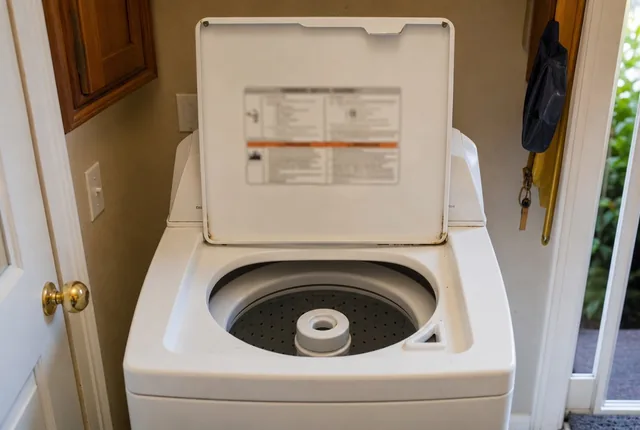
Labels behind panels can wait
If a label is only reachable by removing a panel, pulling out an appliance or opening a burner or electrical cover, skip it. Write label not reached in the row and ask for the numbers at the next service visit.
At the desk: turn photos into a list
Copy the numbers
For each photo, type the brand, model number and serial number into the log. Copy letters and dashes exactly.
Find each manual
Search the maker's site by model number. GE, for one, offers owner's manuals, installation information and energy guides that way. Save each PDF in one folder named for the house.
Leave unknown dates blank
With no receipt, you don't know the purchase date. Leave the warranty fields empty and put no paperwork in the notes column. Don't guess a date.
Print and file it
Print the log, put it in the kitchen drawer or the house binder, and keep the photo folder next to the manuals folder.
Source: GE Appliances, manuals by model number, checked October 7, 2026.
Let the tool do the arithmeticAppliance and warranty logOne row per appliance: model, serial, purchase date when you know it. It sorts by the warranty that ends next and prints one page.Example: 161 days left (Refrigerator warranty on October 5, 2026)Open the toolWhat usually trips people up
- Skipping the garage. The second fridge, the freezer and the door opener are easy to forget.
- Writing down only the brand. You need the model number to find a manual or a part.
- Mixing up model and serial. On the label, the model number is the one marked MODEL, and it names the product line. The serial number is the one only your machine has.
- Guessing an age. A guessed purchase date can make a warranty look live when it isn't. Leave it blank until you have paper.
Checklist to print
Work down this list in one loop:
- Ask the sellers or landlord for any manuals or receipts
- Check the drawers and cabinets for manuals
- Kitchen: fridge, dishwasher, range, microwave, disposal
- Laundry: washer, dryer, pedestals
- Utility and garage: water heater, furnace, freezer, opener
- Other rooms: window units, hood, dehumidifier
- One clear photo of every label
- Labels behind panels noted as not reached
- Model and serial typed into the log
- Manuals downloaded by model number
- Unknown dates left blank, not guessed
- Log printed and filed with the manuals
Tips and tricks
- Tip 01
Ask the sellers
If you can still reach the sellers or their agent, ask whether any manuals, receipts or registration emails exist. A short message is enough.
- Tip 02
Check the drawers and cabinets first
Manuals often turn up in the drawer under the oven, a cabinet over the fridge or a shelf in the laundry room. Look before you download.
- Tip 03
One folder, two kinds of files
Keep the label photos and the manual PDFs in the same folder, named the same way, like dishwasher-kitchen.jpg and dishwasher-kitchen.pdf.
- Tip 04
Do it before the deep clean
Cleaners and scrubbing can wear a printed label. Photograph first, then clean.
- Tip 05
Note what isn't yours
In a rental, mark which appliances belong to the landlord, so you know whose list each one goes on.
What we would do
Do the loop in your first week
Pick your first free afternoon, do the full loop with your phone, and type the list up the same day while the photos make sense. Fill in dates later if paperwork turns up. A list with blank dates is still useful.
Questions
The previous owner left no manuals. Can I still get them?
Usually, yes. Copy the model number from the appliance's label and search the maker's site with it. GE, for example, offers owner's manuals, installation information and energy guides by model number.
Source: GE Appliances, manuals by model number, checked October 7, 2026.
What should go on a home appliance list?
For each appliance: what it is and which room, brand, model number, serial number, purchase date if known, warranty length if known, and where the manual is saved.
I don't know when the appliances were bought. What do I put?
Leave the date blank and write no paperwork in the notes. A guessed date can make a warranty look like it's still running when it isn't.
Do I need to list the water heater and furnace?
Yes, if you can read the label without opening a panel. Record the model and serial number like any other appliance. If the label sits behind a cover that needs tools, note it and ask at the next service visit.
Is a photo of the label enough on its own?
Keep the photos, but type the numbers into a list too. A list can be sorted, printed and handed to the next household. A folder of photos can't.
Part of a system
This page is one part of a bigger job. The system page puts the parts in order.
 SystemAppliance and warranty records: every machine, its numbers and its paperworkList every appliance, copy its model and serial number from the label, keep the receipt with the warranty, and print one log for the house binder.9 steps · 4 parts · 1 page to printOpen the system
 SystemMove-in first month: the new home checklistFour weeks, one short job list each: smoke alarms, the air filter, appliance labels, a room-by-room inventory and the monthly reminders, on one printable page.9 steps · 6 parts · 1 page to printOpen the system
The tool and more guides
 Chapter 01Appliance and warranty logRecord each appliance's model number, serial number and purchase date, see which warranty ends next, and print a one-page log for the drawer.Open the tool
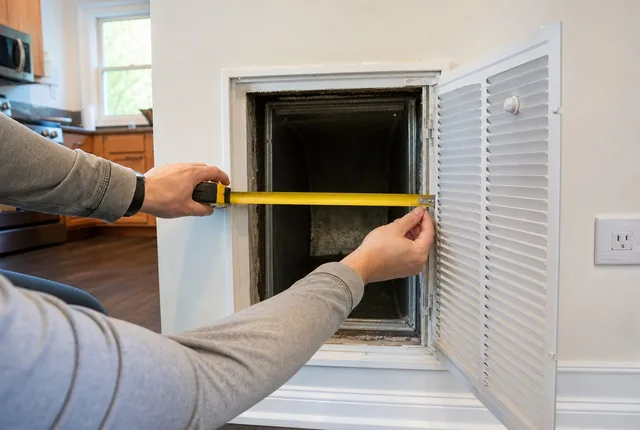 ProblemNo size printed on my air filter: how to find itThe print on the frame is gone or the slot is empty. Measure the opening, round to the nearest inch, and know when you need a custom size.Read the guide
 Practical noteWhat to change on move-in day: locks, garage opener and codesNew house, old keys. Here's the order to work in on move-in week: count what you got, change the locks, clear the garage opener, reset codes, then cut copies.Read the guide
- Chapter 01All records toolsPrintable home records with a calculator behind each one: appliance and warranty log, HVAC filter sizes and change dates.Open the chapter
Sources
- Owner's Manual & Installation Instructions, GE Appliances. Checked October 7, 2026.
- Where is my Model and Serial Number Located?, Whirlpool Corporation, Product Help. Checked October 7, 2026.
- Warranties, Federal Trade Commission (FTC), Consumer Advice. Checked October 9, 2026.
Every outside number on this page names its source and the date we checked it. See them all on the sources page. Spotted an error? Tell us.