Chapter 01Records · Practical note
How to do a photo home inventory in one afternoon
Split it into two jobs. This afternoon, walk the house with your phone. Film each room slowly with the closets and drawers open, say what things are as you go, then take a close photo of every serial label and any receipt you can find. The typing comes later, from the photos, one room at a time. Before the day is out, email the files to yourself or a relative so a copy lives outside the house.
Source: California Department of Insurance, Home Inventory Guide, checked October 11, 2026; Texas Department of Insurance, Home inventory activity, checked October 11, 2026.
- Film each one open and say what's in it (California Department of Insurance)Every drawer California Department of Insurance, Home Inventory Guide one-pager, October 11, 2026
- The fewest places California says to keep a copy2 places California Department of Insurance, Home Inventory Guide one-pager, October 11, 2026
- How often California suggests updating, such as each new season3 to 4 a year California Department of Insurance, Home Inventory Guide one-pager, October 11, 2026
Capture today, type later
Most home inventories stall at the typing. Photographing a room takes a few minutes. Typing out what's in it takes much longer, and it's the part people put off. So split the work. Today you only capture: video, wide photos and labels. You type the list later, from the photos, sitting down.
California's Department of Insurance suggests the same walk-through: video every drawer, comment on each item as you go, and email the file to someone outside the house. Its longer booklet adds that a friend can hold the camera while you talk slowly and clearly.
Source: California Department of Insurance, Home Inventory Guide one-pager, checked October 11, 2026; California Department of Insurance, Home Inventory Guide, checked October 11, 2026.
Before you start
Charge the phone, clear space
Video fills a phone fast. Delete old clips or move them off first, and keep the charger nearby.
Lights on, blinds open
Even light shows labels and model names better than a flash does.
Gather the paperwork on one table
Pull the receipts, manuals and warranty cards out of drawers so you can hold each one next to its item.
Pick a route
Start at the front door, go room by room in one direction, and finish in the garage. A fixed route means nothing gets skipped.
The walk, room by room
Say the room and the date
Start each clip by saying where you are and today's date. California's booklet asks for the date of the recording.
Pan each wall slowly
Move the phone from floor to ceiling and along each wall. Go slower than feels natural; fast pans blur.
Open everything and film it
Closets, cabinets, drawers, the toolbox, the jewelry box. Say the brand and roughly when you bought the bigger things.
Close photos of serial labels
TVs, computers, appliances, power tools and bikes. Fill the frame with the label so the numbers can be read later.
Receipt beside the item
If you found the receipt, hold it next to the item in the same shot.
Don't skip the back rooms
Extra closets, the pantry, the basement and the attic. These are the areas California's booklet says people forget.
Source: California Department of Insurance, Home Inventory Guide, checked October 11, 2026.
Labels hide in the same few places
On TVs and monitors, the label is usually on the back panel. On laptops, look underneath. Appliances keep theirs inside the door or on the back, and the model and serial number guide on this site lists where each one hides.
Back it up before dinner
Copy the clips and photos off the phone the same day. Texas's insurance department suggests emailing the list and pictures to yourself or a family member. California's guide says to keep copies in at least two places, such as a fire-resistant box at home, a locked cabinet at work, a relative's house or a safe deposit box.
Source: Texas Department of Insurance, Home inventory activity, checked October 11, 2026; California Department of Insurance, Home Inventory Guide one-pager, checked October 11, 2026.
Name the folder with the address and today's date so you can tell this year's walk from next year's.
Typing it up later
One room per sitting
Start with the room that holds the most value, usually the living room or the kitchen.
Pause the video at each item
Type the row, then play on. The serial number comes from the label photo, not the video.
Group the small stuff
One row for a drawer of utensils or a shelf of paperbacks, with a count. Things with serial numbers get rows of their own.
Leave missing prices blank
Fill them in later from order emails or statements. The sheet lists every blank as a gap.
Email the file after each room
Download the CSV and send it to yourself, so the typed list is backed up as it grows.
What this list is for
This is a list of what you own and what you paid. Questions about what a policy covers, or how a claim works, go to your insurer or your state's insurance department.
Checklist to print
Tick these off as you go:
- Phone charged, storage cleared
- Lights on, blinds open
- Receipts and manuals gathered on one table
- Route picked: front door to garage
- Room name and date said at the start of each clip
- Slow pan of every wall, floor to ceiling
- Closets, cabinets and drawers filmed open
- Close photo of every serial label
- Receipts shown next to their items
- Extra closets, pantry, basement and attic done
- Files copied off the phone today
- A copy kept in a second place away from home
Tips and tricks
- Tip 01
Talk while you film
Say the brand, the model and roughly when you bought it. Your voice on the video becomes the notes you type from.
- Tip 02
Film storage bins twice
First the outside of the bin, then the lid off. Later you'll know which bin the photos came from.
- Tip 03
Don't stop to look up prices
Hunting for a receipt halfway through the walk is how the afternoon turns into a week. Prices are a job for typing day.
- Tip 04
Keep the blurry clips
Reshoot them, but don't delete the first try until the backup is done. A blurry clip still shows what was there.
- Tip 05
Redo one walk each season
California suggests updating three or four times a year. A short clip of what changed since the last walk is enough.
Source: California Department of Insurance, Home Inventory Guide one-pager, checked October 11, 2026.
What we would do
Film it all this weekend, then type one room a night
Set aside one afternoon, film the whole house in one pass, and back it up before dinner. Then type one room each evening into the inventory sheet, starting with the living room and the kitchen. By the end of the week you have a typed list, and the video covers anything you haven't reached yet.
Questions
Is a video enough for a home inventory?
It's a strong start, and state insurance departments list photos and video as ways to make one. A typed list is easier to search and add up, so type the rows later from the video and keep both.
Source: Oklahoma Insurance Department, Home Inventory Checklist, checked October 11, 2026; California Department of Insurance, Home Inventory Guide one-pager, checked October 11, 2026.
How long does a photo home inventory take?
The filming fits into one afternoon for most homes, because you only capture and don't type. The typing takes longer. One room per evening is a pace most people can keep up.
Do inventory photos need a date stamp?
California's booklet says each photo should carry a date. Phones save the date inside every file, so saying the date at the start of each clip and backing up the same day covers it.
Source: California Department of Insurance, Home Inventory Guide, checked October 11, 2026.
Where should I keep the inventory video?
Somewhere other than the house and the phone. Email it to yourself or a relative, or leave a flash drive with family. California suggests at least two places.
Source: Texas Department of Insurance, Home inventory activity, checked October 11, 2026; California Department of Insurance, Home Inventory Guide one-pager, checked October 11, 2026.
Do I need an inventory app?
No. A phone camera and a sheet are enough. California's guide lists a free app, its paper booklet and a video walk-through as options, and any of them works.
Source: California Department of Insurance, Home Inventory Guide one-pager, checked October 11, 2026.
Part of a system
This page is one part of a bigger job. The system page puts the parts in order.

The tool and more guides
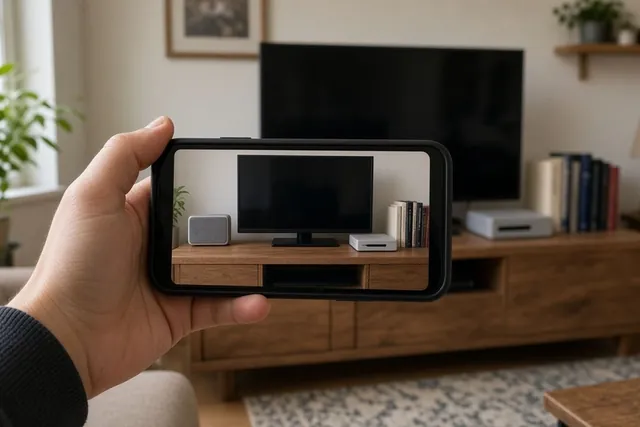 Chapter 01Home inventory sheetList what you own room by room, with what you paid, serial numbers and which items have a photo. See each room's total and print a one-page sheet.Open the tool
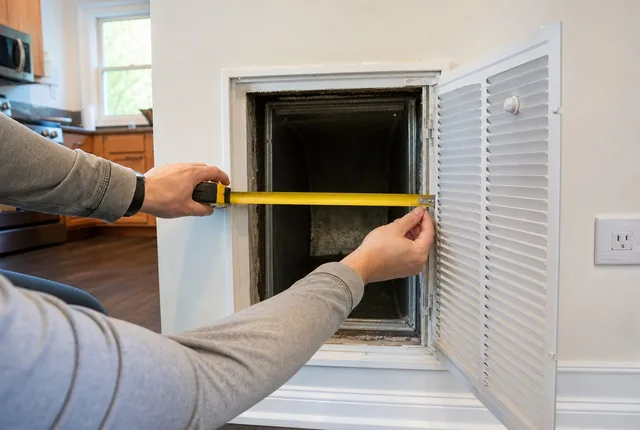 ProblemNo size printed on my air filter: how to find itThe print on the frame is gone or the slot is empty. Measure the opening, round to the nearest inch, and know when you need a custom size.Read the guide
 Practical noteWhat to change on move-in day: locks, garage opener and codesNew house, old keys. Here's the order to work in on move-in week: count what you got, change the locks, clear the garage opener, reset codes, then cut copies.Read the guide
- Chapter 01All records toolsPrintable home records with a calculator behind each one: appliance and warranty log, HVAC filter sizes and change dates.Open the chapter
Sources
- Home Inventory Guide (booklet, Rev. 03/14/19), California Department of Insurance. Checked October 11, 2026.
- Home inventory activity for kids, Texas Department of Insurance. Checked October 11, 2026.
- Home Inventory Guide (one-page summary, Form 923, June 2023), California Department of Insurance. Checked October 11, 2026.
- Home Inventory Checklist, Oklahoma Insurance Department. Checked October 11, 2026.
Every outside number on this page names its source and the date we checked it. See them all on the sources page. Spotted an error? Tell us.